

Double Diamond Design Process: From Task to Release


In this article:
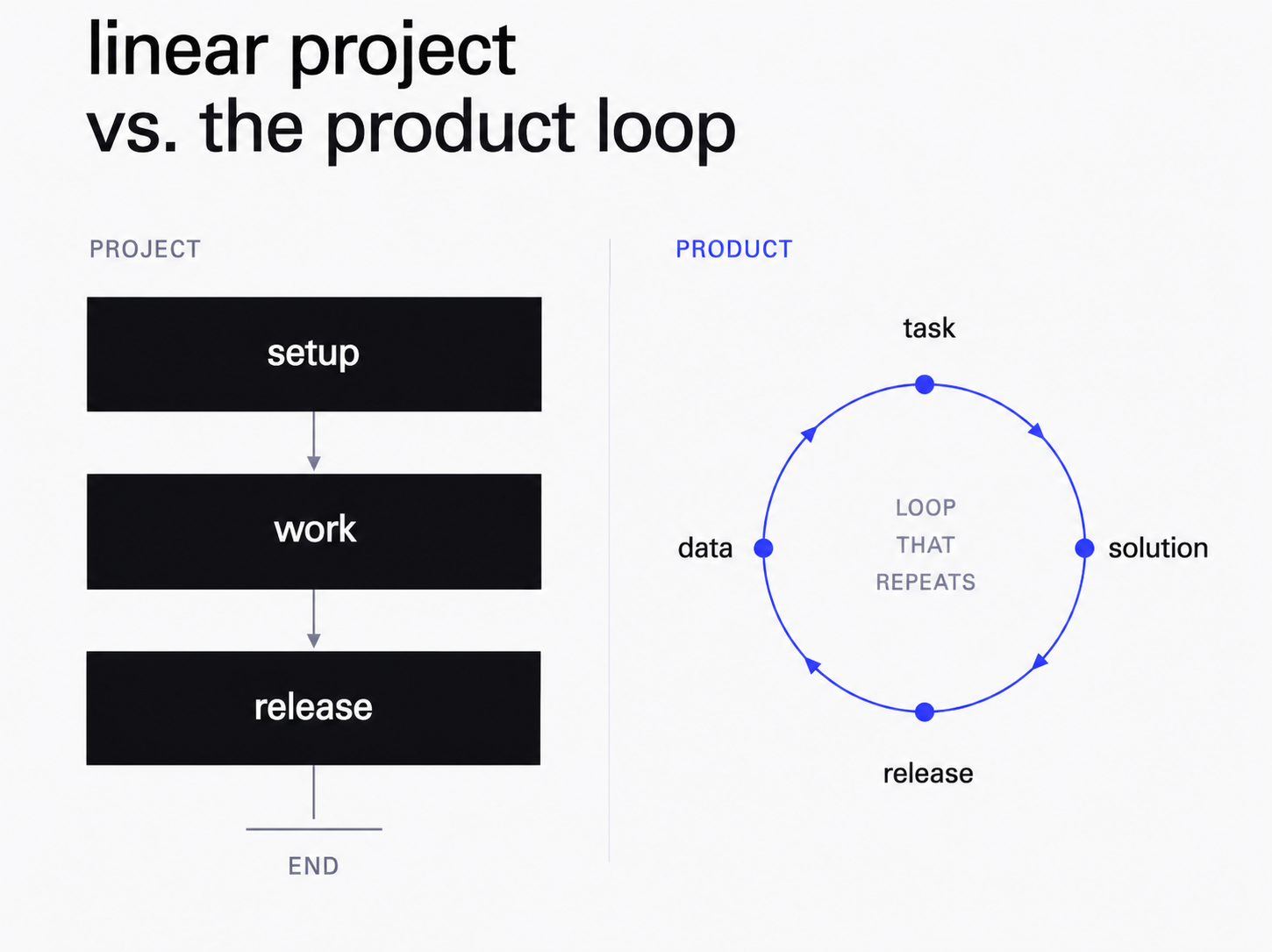
A designer's work rarely moves in a straight line. A task doesn't turn into a mockup in one move: first you gather context, narrow it down to a solution, ship it, look at the data, and come back to the start. Design thinking is the skill of consciously working through that loop, instead of jumping straight to the first idea in Figma.
Design Thinking: The Double Diamond Model
Design thinking is an approach to solving problems where you first widen your view, then narrow it down to a solution. It's a foundational way of thinking in UX/UI design. The model is usually drawn as two diamonds side by side. The first diamond is the problem space: you gather as much context as possible, watching people and reading data, then converge on a clear statement of what actually needs solving. The second diamond covers the solution space: you diverge again into options, then pick the one you'll build. That's where the name comes from — the double diamond.
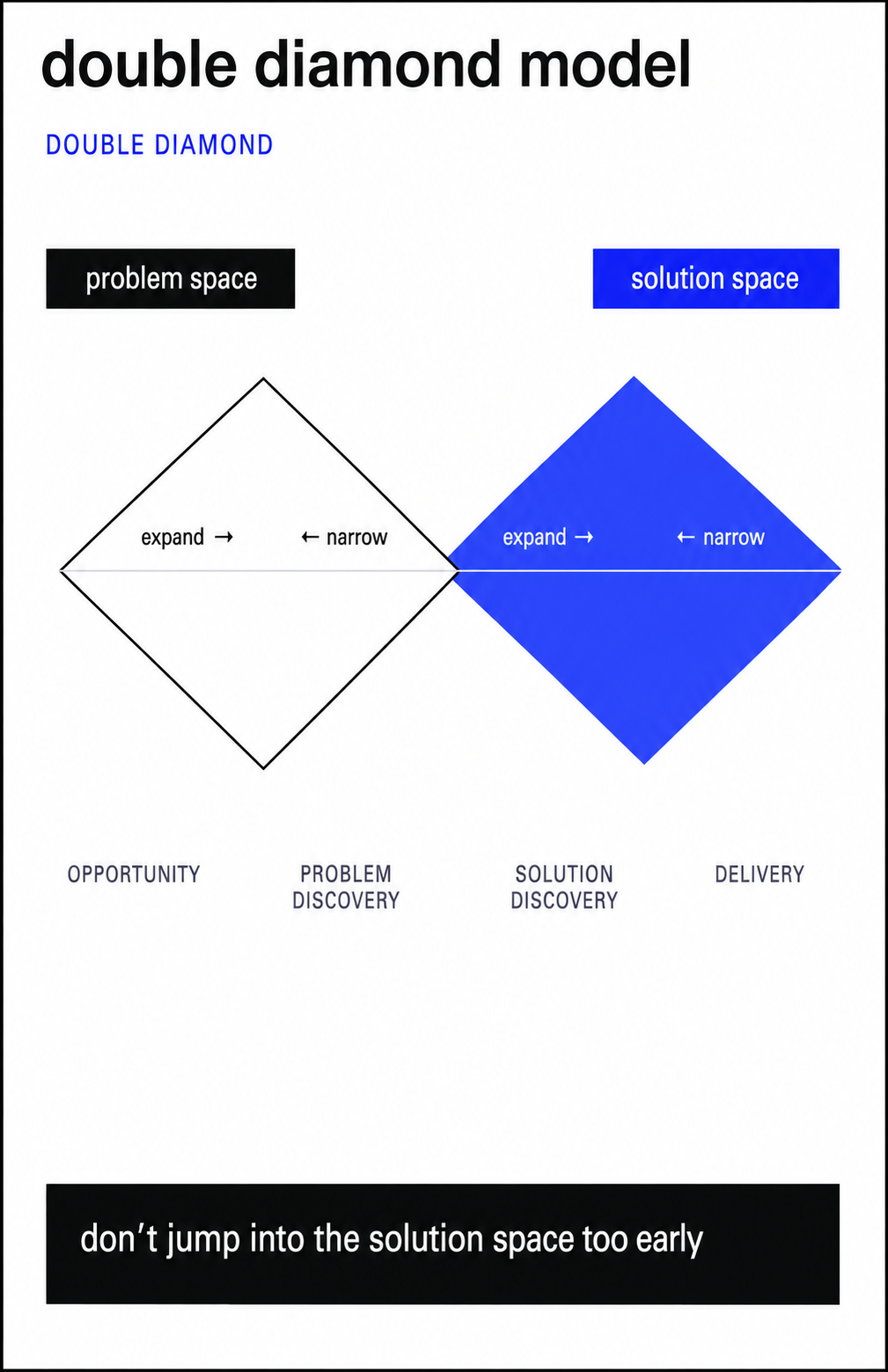
The model's main rule is simple: don't jump from the problem space into the solution space too early. The temptation is strong — the moment a task lands, you're itching to start sketching screens. But until the problem is fully unpacked, you can't see how wide it really is, and you risk solving the wrong thing entirely. So in design thinking the sequence never changes: opportunity first, then problem discovery, and only then solution discovery.
Where Tasks Come From: How a Designer Figures Out What to Do
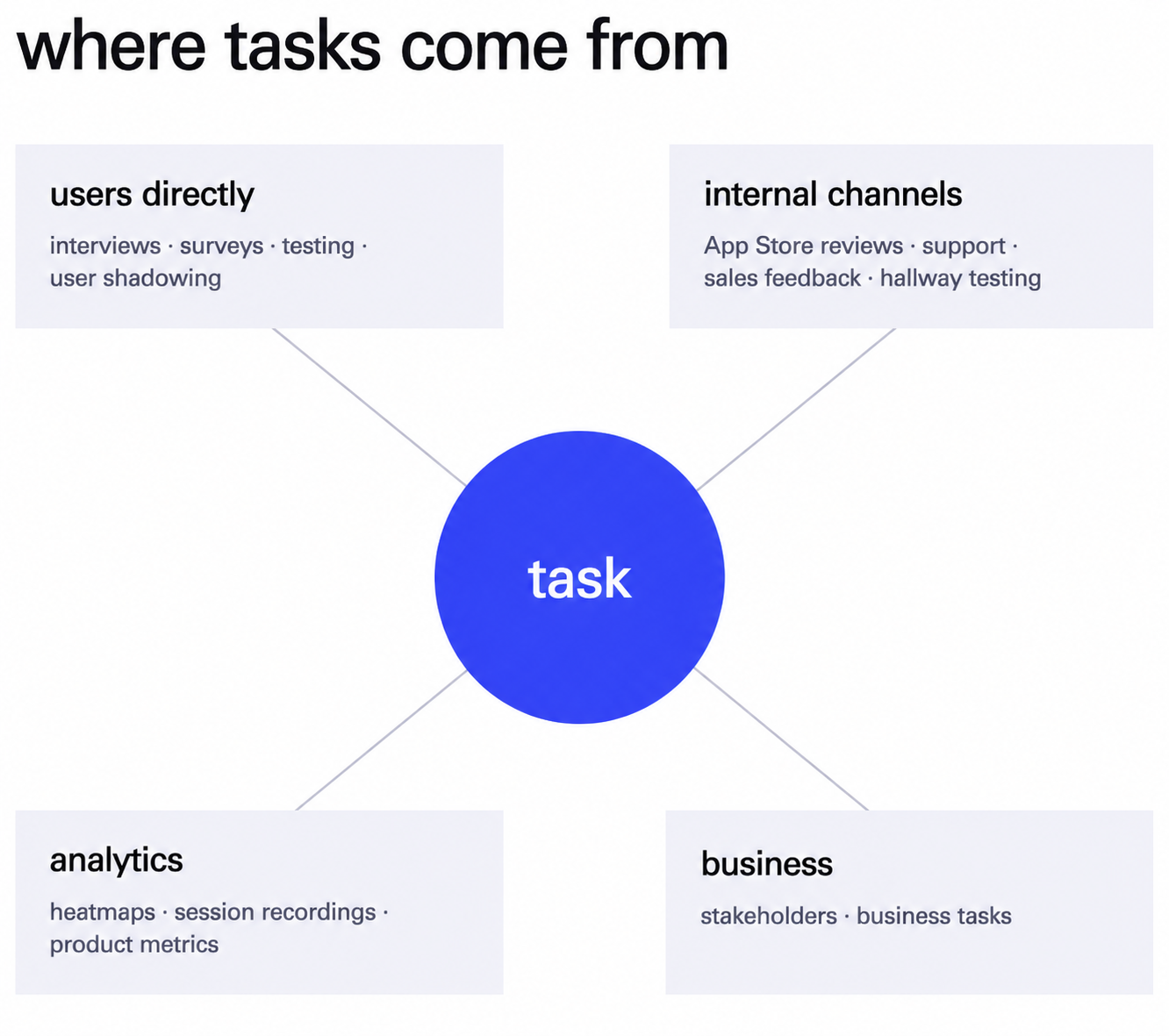
A task rarely arrives with a clear picture of what the actual problem is. The designer has to piece it together, from several sources of signal. The more of these you use, the fewer guesses are left in the final solution. That's how design thinking keeps decisions grounded in facts.
- Users, directly. Interviews, surveys, testing. This also includes user shadowing, where you simply watch, silently, as someone uses the product. It's qualitative data you see with your own eyes.
- Internal channels. App Store reviews, support tickets, feedback from sales, internal (hallway) testing. In B2B, sales people often know the product best: both its strengths and its sorest spots.
- Analytics. Heatmaps, session recordings, product metrics. These capture how people actually behave.
- Business. Stakeholders and business goals: the strategic context from founders and product owners.
No single source is self-sufficient. The value shows up at the intersection, when signals confirm one another. And before taking on a task from a client, it's worth syncing up with them first — a kickoff meeting is where that alignment happens.
Seven Steps: From Unpacking the Task to Release
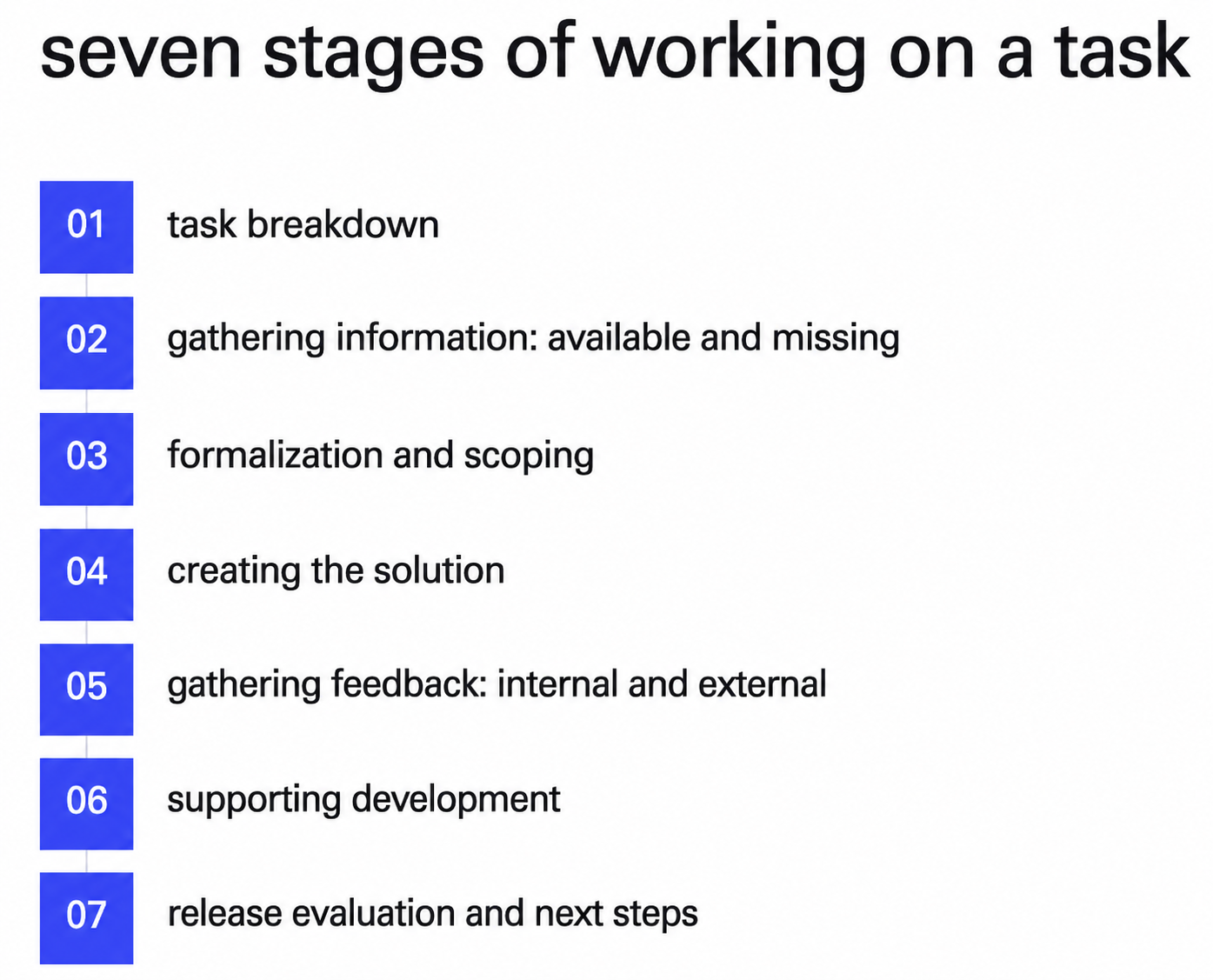
Once the task is pieced together, the work moves through seven steps. This is design thinking in action. Each step builds on the one before it.
- Unpacking the task. You break it into smaller parts to understand the problem in depth.
- Gathering information: what exists and what's missing. The key part here is seeing exactly where the gaps are. What already exists, you already know.
- Formalizing the task and scoping it. Scope, subtasks, team composition, the metrics you'll be measuring.
- Building the solution. You formulate a hypothesis and build a flow around it.
- Gathering feedback: internal and external. Colleagues, testers, developers. You check that everything works across all platforms.
- Supporting development and pre-release testing. The designer stays close to development all the way to release.
- Evaluating the release and the next steps. You look at the data and decide where to move next.
There's only one discipline that matters here: don't move to the next step until you've closed the previous one. If you start gathering information before unpacking the task, you lose sight of how wide the problem really is, and there's no getting it back. And remember: information isn't only data. It's also confidence that the problem is real, plus an honest admission of what you still don't know.
The Cost and Value of Every Decision
In design thinking, every step passes through one test: how much you put in versus how much you get back. Hypothesis validation, prioritization, the RICE method — it all comes down to this ratio. You spend money to make more money. Spent more than you'll make? Then the decision has lost its point.
That's where the attitude toward MVPs comes from. The first version doesn't have to be pretty. Its job is different: get data as fast as possible. Often you don't even need a developer to test an idea. A designer, a product manager, and something like a Telegram bot that takes requests and returns an answer is enough. That's how Lezo started: a full interface only showed up about a year in, while the idea itself first ran through a plain bot while the team checked whether there was any demand at all. And they built for companies first — that's where the money came from.
That said, an MVP doesn't get a pass on quality: it still has to do its main job well. How detailed the initial solution needs to be depends on your competitors and your segment. Sometimes rough sketches are enough; sometimes you need a clickable prototype.
A Strong Case Study: Decisions Backed by Numbers
The finished process shows up best in a case study. And a strong case study is worth paying attention to when every decision is tied to a measured result, not to “it just looked better.” Let's take the product our lecturer worked on: Rohlík, a Czech grocery delivery service.
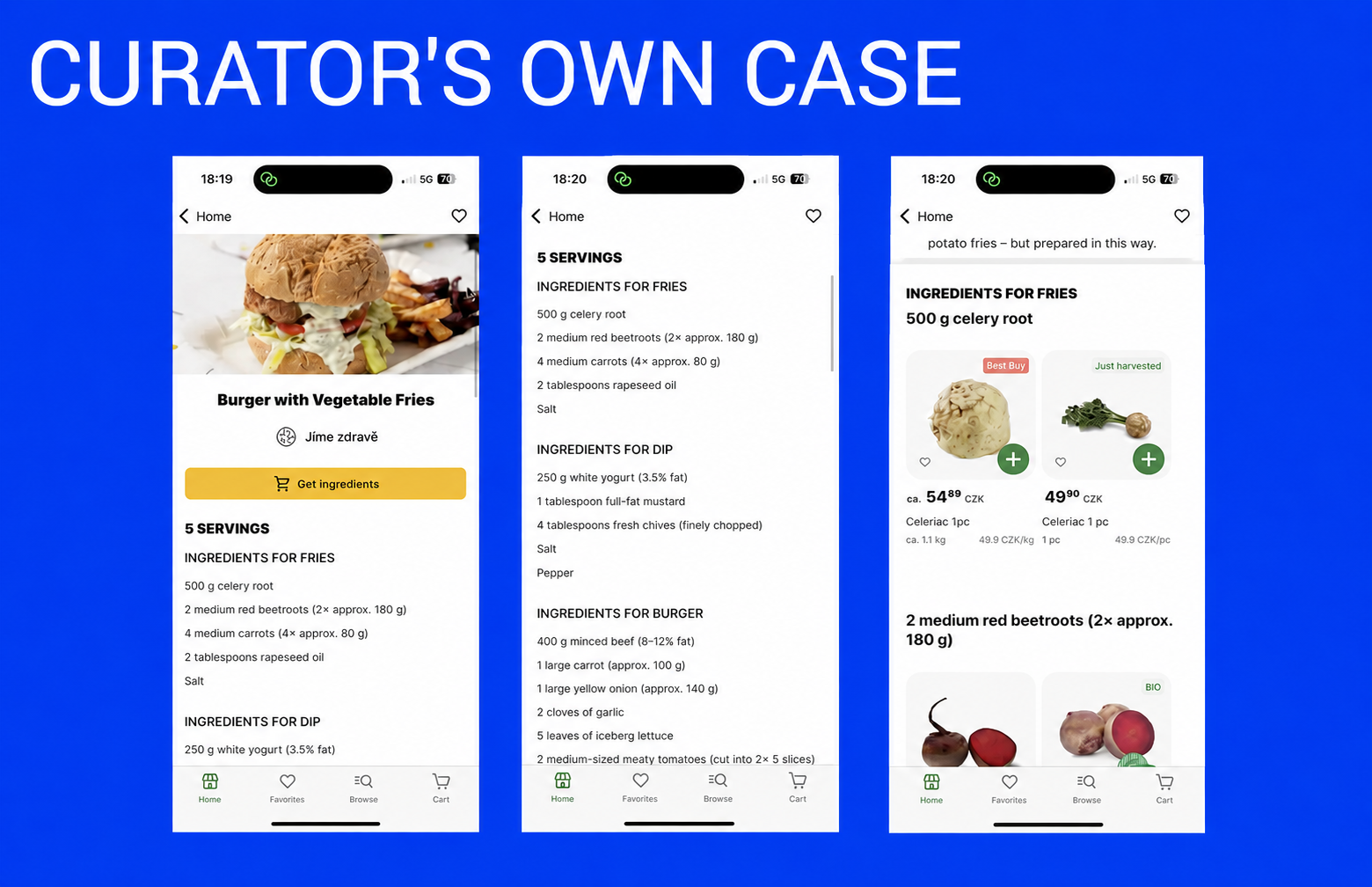
Let's start with the recipes section. It opened up a new use case (jobs to be done): a person comes in for a whole recipe and buys everything to go with it. That drives return visits. Alongside it, the team added variety: a pricier and a cheaper version of the same product, plus a button that dumps every ingredient from the recipe into the cart in one tap.
Next come shopping lists. In their simplest form, these are selected products gathered into separate lists that get bought in one tap. The quantity button here deliberately doesn't drop the item into the cart automatically. The list is built to be returned to, again and again. Later, a Plan a weekly list feature grew on top of it: you set a period, and the list drops into the cart on its own.
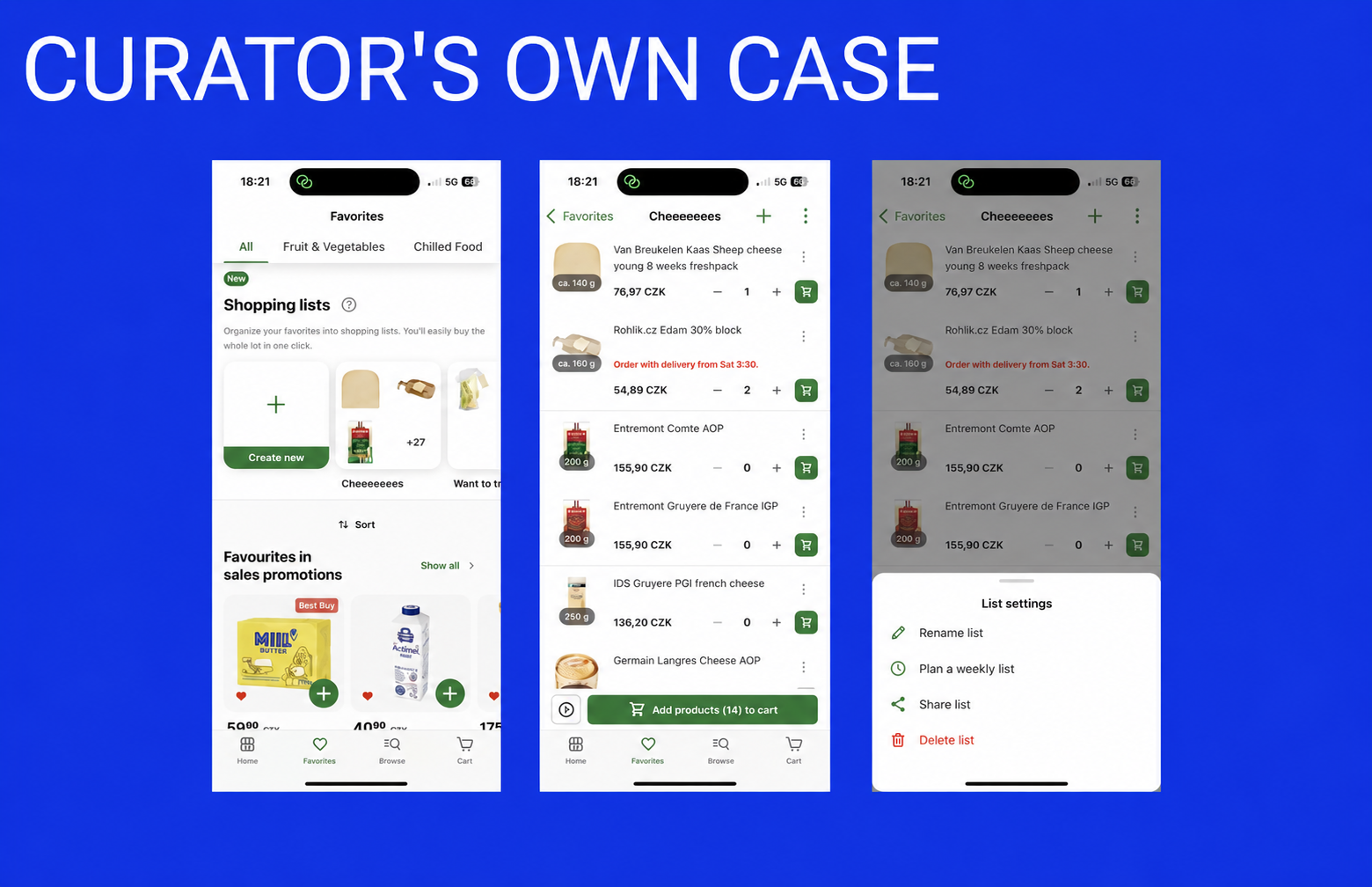
The team checked every decision against the data: how many people created a list and kept using it, how many abandoned it. First you look at the metrics: what actually changed, and in which direction. Only after that do you read the feedback that explains why. First “what,” then “why.” That's how design thinking shows up in the case study: every decision is backed by a number.
Design thinking doesn't hand the designer new tools. It teaches which tool to reach for at which step. Try it on your own product: take an app you use every day, pick one task, and run it through the double diamond. First widen the problem, then narrow it to a solution, without jumping between them. By your third or fourth attempt, you'll start seeing this loop before you even open Figma.
grow your careerwith real-world knowledge
design process and double diamondfrequently asked questions
- What is the double diamond design process?
- What are the steps in the design thinking process?
- What is design thinking in UX design?
- How do you validate a design decision with data?
more interesting articlesfor you

